- Data Recovery
- Data Recovery for PC
- Data Recovery for Android
- Data Recovery for iPhone/iPad
- Unlock For Android
- Unlock for iPhone/iPad
- Android System Repair
- iPhone/iPad System Repair

Updated By Amy On Jul 17, 2026, 10:37 pm
Unlocking a mobile phone is not merely about regaining access rights; it also means regaining control of the device and retrieving the important data within it. So do you know what to do when you forget the password of your Android phone or are blocked by the Google account lock and cannot use the phone? Don't worry! In this article, we will introduce to you how to regain access to your phone when you forget your password. Even if your phone is restricted due to a Google account lock, it can still be easily solved. We will comprehensively sort out various methods and recommend the best solution for you - unlocking your phone with Geekersoft Android Unlocker. Geekersoft Android Unlocker enables users to unlock mobile phones of various brands, including MOTOROLA, Huawei, Samsung, and any other brand such as Xiaomi.
For users with a Google account and password, the following methods can be used to unlock an Android phone.
1. Unlock Android phones without a password
In fact, the most convenient way to unlock a mobile phone is to use your Google account to bypass the lock screen and log in to the phone again. You just need to complete the following operations.
When you enter the wrong password or pattern multiple times, the option "Forgot Password" will appear on the screen. After clicking this option, the system will ask you to verify your Google account information. If you know your Google account ID and password, just make sure your phone has a stable Internet connection to verify your account credentials.
However, what if you have even forgotten the credentials of your Google account? At this point, the question arises: Without a password, how can one unlock a Google account? Next, let's explore the solutions together.
This method is mainly applicable to older versions of Android mobile phones, and this method is not stable and reliable. In addition, this method may vary depending on the Android model. Its core idea is to take advantage of the vulnerabilities existing in the Android OS and access the Android mobile phone browser through the emergency call function or the Talkback function. The specific operation is that users enter the mobile phone operation interface through specific operations, thereby accessing the browser, and then download or install applications that can bypass the lock screen.
It should be noted that the exploitation of Talkback or other vulnerabilities cannot be successfully implemented on new devices in most cases.
In addition, you can also unlock an Android phone by restoring it to factory Settings through the recovery mode. However, doing so will clear all the data in the phone, and the lock screen credentials will also be cleared at the same time. To restore your Android phone to factory Settings without a Google account, you can refer to the following steps.
Step 1 Press and hold the power button of your phone for a long time, select the shutdown option, and turn off the phone completely.
Step 2 Press and hold the volume up button and the power button simultaneously. Different devices may have specific key combinations. Follow the corresponding operations to start the recovery mode.
Step 3 After entering the recovery mode, use the volume keys to move up and down, navigate to the "Erase Data/Restore Factory Settings" option, and then press the power button to confirm.It should be particularly noted that this method is only applicable to situations where you can accept data loss. Moreover, after restoring the Factory Settings, your device may fall into the state of Google FRP (Factory Reset Protection) lock.
If the Google FRP function is enabled on your Android device. When you restart your phone after restoring it to factory Settings, it will ask you to enter the last associated Google account credentials to prevent unauthorized access. At this point, the APK file can help you solve the problem in FRP bypassing. However, it should be noted that not all mobile phone models support these APK files. Different applications are suitable for different mobile phone models and versions of the Android operating system.
Regarding how to unlock a tablet without a Google account through FRP APK, the operation steps are as follows.
Step 1 Download the FRP bypass APK file from a reliable source, and then install it onto the locked tablet via an OTG cable or a USB drive.
Step 2 After the installation is completed, this APK file will disable the Google account lock.
It should be noted that this method is applicable to devices that support the USB OTG function and allow the installation of APK files. Also, be careful of malware when using this method. Moreover, for mobile phones that have installed the latest security patches, this method may not be applicable.
Based on its advanced technology and algorithms, Geekersoft Android Unlocker is an all-round solution suitable for Android devices. It can help users easily bypass various Android lock screen methods, including passwords, patterns, PIN codes and fingerprint locks.
The main advantages of Geekersoft Android Unlocker:
- Easy to operate and with a high success rate: The software's interface design is simple and intuitive, with strong user-friendliness. Even first-time users can quickly get started, and the unlocking success rate is quite considerable.
- Bypass popular brand FRP locks: It can break through the FRP (Factory Reset Protection) limitations of mainstream Android brands such as Samsung, Huawei, and MOTOROLA, allowing you to unlock your phone without a Google account.
- Provide data security guarantee: During the unlocking process, it will encrypt your data and have advanced fraud protection functions to ensure your data is safe and worry-free.
On how to use Geekersoft Android Unlocker to unlock a phone without a Google account, you can refer to the following steps.
Step 1 Visit the official website of Geekersoft Android Unlocker, download the software and install it on your computer. And use a data cable to connect your Android device to the computer, and then start the Geekersoft Android Unlocker software. In the main menu of the software, select the "Screen Lock" function.
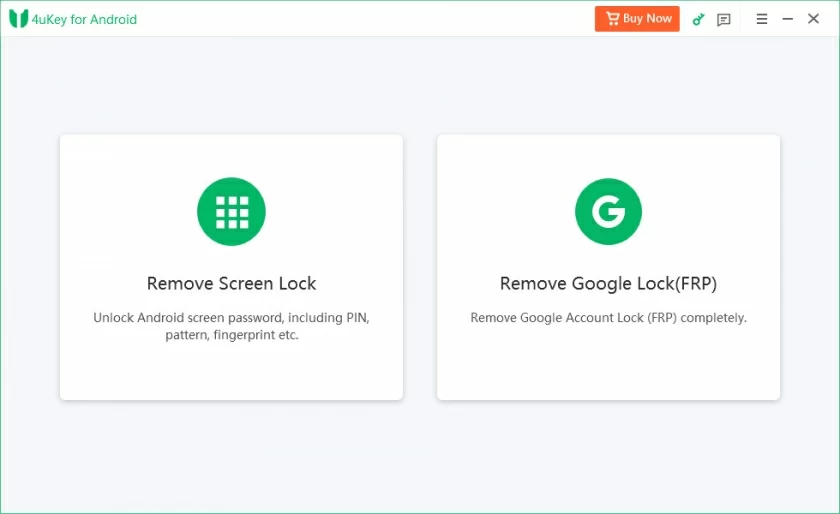
Step 2 In the pop-up window, select the Android operating system, and then you can enter the Android screen unlocking process. Select the brand and model of your mobile phone from the list, and then click "Continue" to confirm the brand name and model of the device.
Step 3 Follow the prompts to set your phone to download mode. Then wait for the unlocking to complete. The Geekersoft Android Unlocker software will automatically remove your screen lock.
Unlocking a phone Geekersoft Android Unlocker is so simple and convenient. For devices of some brands such as Samsung, Geekersoft Android Unlocker can successfully remove the screen lock without losing data. You can unlock the screen lock with a 100% success rate without causing data loss.
The above-mentioned several common methods of unlocking the pattern lock on an Android phone without Gmail may not meet your requirements. For instance, techniques such as emergency call cracking or FRP bypassing often fail to function properly. Although restoring the phone to factory Settings can unlock it, it may cause all the contents in the phone to be cleared, resulting in the loss of new data. In addition, the mobile phone will also be locked by the FRP lock. For those who are not very familiar with technical operations, removing FRP locks by installing APK files might be overwhelming. If you are looking for a simple, easy-to-use, direct and effective unlocking method, you might as well try Geekersoft Android Unlocker. Geekersoft Android Unlocker is specifically designed to solve the problem of how to unlock an Android phone without a Google account for users.