- Data Recovery
- Data Recovery for PC
- Data Recovery for Android
- Data Recovery for iPhone/iPad
- Unlock For Android
- Unlock for iPhone/iPad
- Android System Repair
- iPhone/iPad System Repair

Updated By Tom On May 13, 2026, 9:20 pm
You may already know that AMV is a video format specifically designed for MP4 and S1 MP3 players. Compared with other video formats such as WMV, AMV has the advantages of smaller file size and lower consumption of processor resources during playback. It is particularly suitable for portable devices with limited storage capacity and low processing power. In addition, when you encounter the problem that videos downloaded from the Internet cannot be played normally on your device, converting them to AMV format might be an ideal solution. To save your time and energy, based on repeated trials and comprehensive comparisons, we recommend the Geek Video Converter to you. This video converter stands out with its outstanding overall performance and becomes a leader among many tools that support converting AVI to AMV./p>
As a one-stop professional video conversion tool, Geekersoft Video Converter is the first choice for many users to convert videos. The Geekersoft Video Converter supports a variety of mainstream video formats such as AMV, MP4, WMV, MPEG, and FLV. The converted file can be played smoothly through an MP4 player, whether on iOS or Android devices. If you still need to personalize the video, such as adding special effects, cropping the picture, adjusting the duration, embedding subtitles, etc., you can also do it all at once through the video editing function of Geekersoft Video Converter. You can complete the conversion by clicking the mouse through the relevant prompts on the software interface before conversion. No technical background is required. For the converted file, you can set the output parameters as needed and choose from multiple resolutions ranging from high definition to ultra-high definition to meet your different picture quality requirements./p>
In addition, the software also supports converting videos to audio and can output common audio formats such as MP3, WAV, and WMA. Whether it's video conversion or audio output, Geekersoft Video Converter can solve all these problems in one stop without the need to install any other tools./p>
For users who need to convert multiple video files simultaneously, Geekersoft Video Converter also offers batch processing functionality, which is efficient and fast./p>Click the download button to quickly complete the video conversion./p>
Step 1 Install and launch Geekersoft Video Converter on your PC, and click the "Add" button to import the video file you need to convert./p>
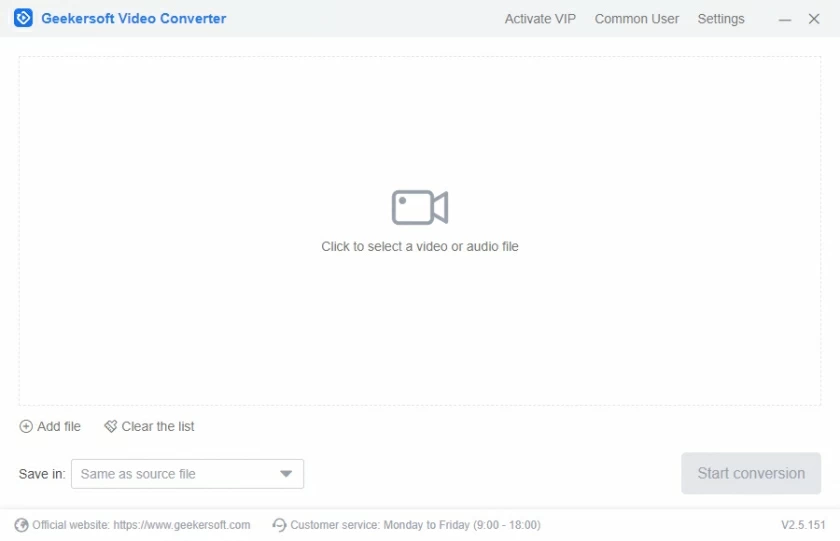
Step 2 In the "Profile" section, select "AMV" as the output format and set the desired resolution./p>
Step 3 Click the "Convert" button, and the Geekersoft Video Converter will automatically and quickly complete the format conversion for you. After the conversion is completed, you can click "Open" to view the converted AMV file./p>
If you are troubled by not being able to play video files, you can choose to convert the video to AMV format. Geekersoft Video Converter, as the best video converter, has received high praise from users. Give it a try./p>